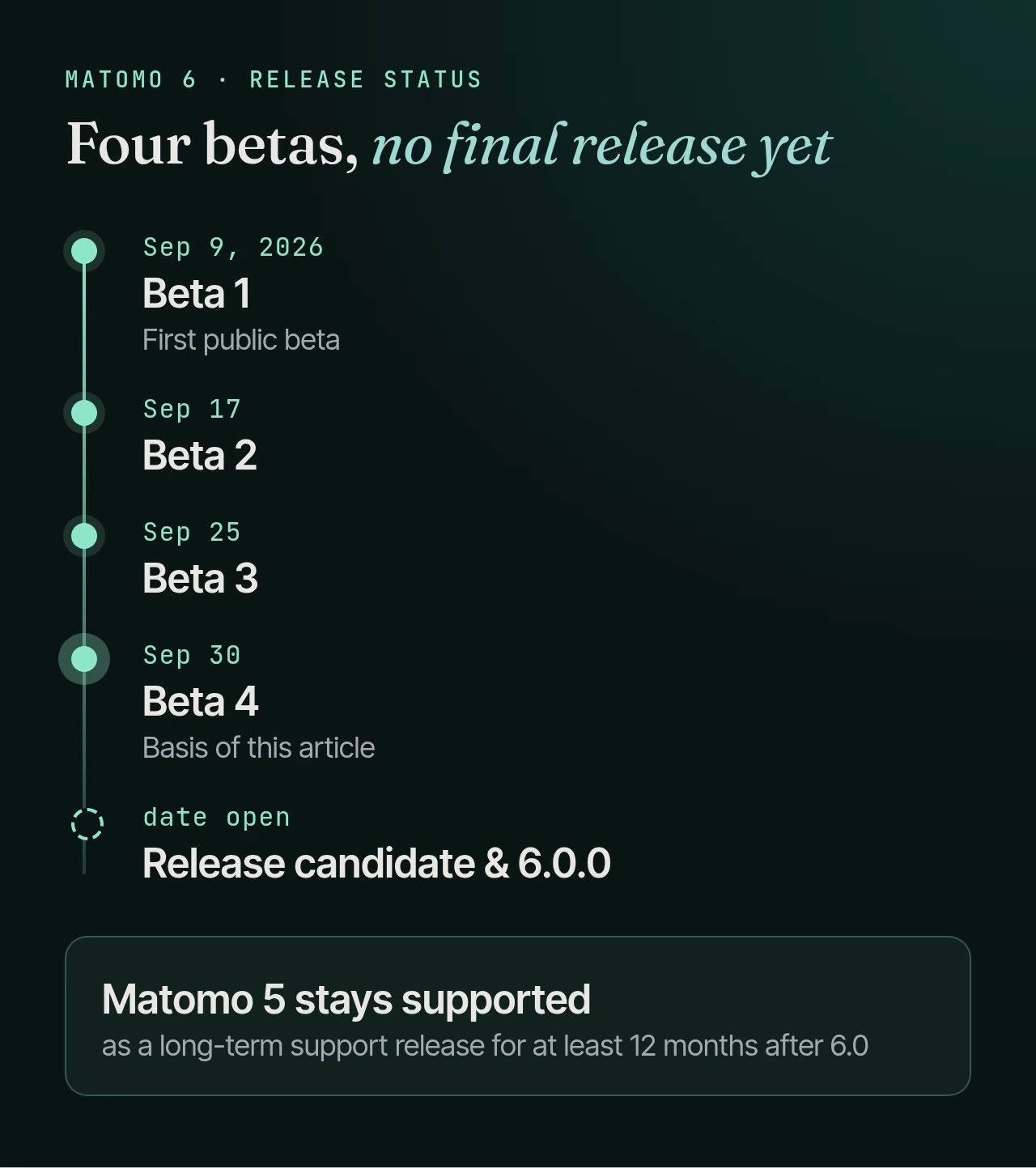
Matomo 6 is on its way: the first beta shipped on September 9, 2026, and the fourth (6.0.0-b4) followed at the end of September. There is no final release yet, which makes now the right time to prepare your upgrade instead of rushing it later.
This article covers what changes for anyone running a self-hosted Matomo instance, and ends with an upgrade checklist. As of September 30, 2026, Matomo 6.0.0-b4.
What changes in Matomo 6
The points that matter most for operations:
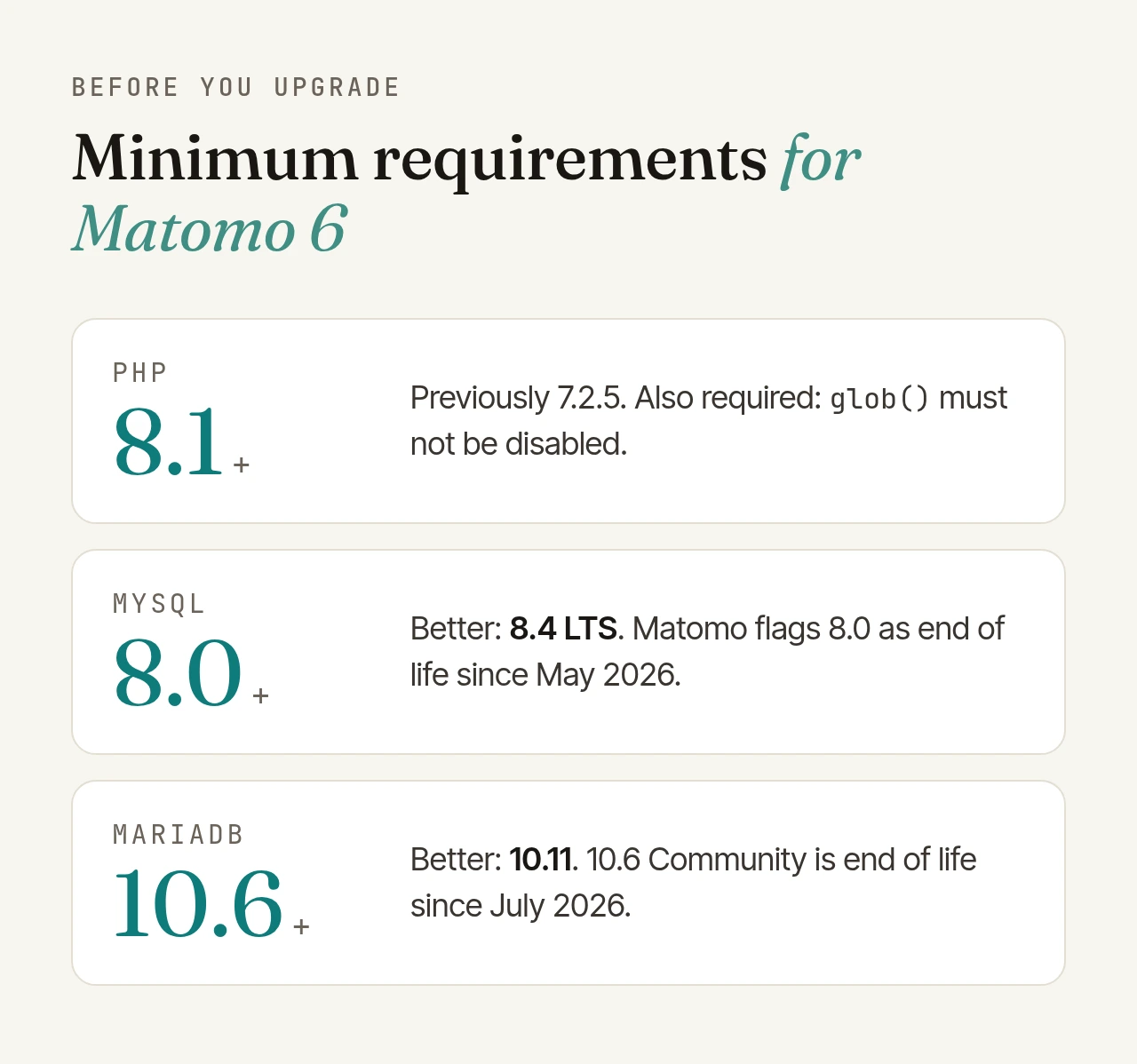
- New minimum requirements: PHP 8.1 and MySQL 8.0 or MariaDB 10.6. Experimental TiDB support is gone.
- Spam and bot filtering built in: the former "Tracking Spam Prevention" plugin is now part of Matomo, enabled by default and can no longer be uninstalled. It also filters traffic from headless browsers, such as the traffic AI tools generate.
- New maps: the visitor and real-time maps were regenerated from current geographic data; regions are now matched via ISO 3166-2 codes.
- Groundwork for consent tracking: the visits table
log_visitgets a newconsentcolumn. Nothing writes to it yet. Matomo adds it early so the table change is done by the time the feature ships. - Removed: the SEO plugin, the old archiving script
misc/cron/archive.sh, one-click updates over plain HTTP, and some API methods such asAPI.getSettings. - For developers: the frontend is now built with Vite, and major dependencies jump versions (Monolog 3, PHP-DI 7, Symfony 6.4). If you deploy the release zip you don't need Node.js, but custom plugins have to be updated.
Matomo 6 requirements: PHP and database
PHP 8.1 or newer is mandatory. Also check your php.ini: glob() must not be listed in disable_functions, or Matomo 6 refuses to start.
The database deserves a second look. MySQL 8.0 and MariaDB 10.6 are the minimum, but Matomo's own system check already flags both as end of life: MySQL 8.0 since May 1, 2026, and MariaDB 10.6 Community since July 7, 2026. If you have to touch the database anyway, plan the move to MySQL 8.4 LTS or MariaDB 10.11 right away, as a separate step before the Matomo upgrade, so you know what caused a problem if one occurs.
The database change: one column, on your largest table
Unlike some earlier major releases, the log tables stay largely untouched. In the current beta, the update only alters log_visit:
ALTER TABLE matomo_log_visit ADD COLUMN consent TINYINT(1) UNSIGNED NULL DEFAULT NULL;
Matomo itself warns that this can take time on large installations. On MySQL 8.0.12 and later, adding a column defaults to the "INSTANT" algorithm, which doesn't copy the table. In that case the step is quick. Don't rely on it, though: how long it takes depends on your database, table format and size. Measure it on a copy.
Two more notes:
- The Custom Variables columns stay. The plugin has a Matomo 6 release, and no data is lost.
- The 6.0.0 milestone is still open. One open pull request would add another table for time on page per pageview. Read the final release notes before you upgrade a large database.
According to Matomo, a major update can take "from a few minutes to a few hours", and on very large databases even days. Plan the maintenance window from your measurement, not from gut feeling.
Check your plugins
Every plugin must explicitly declare Matomo 6 support in its plugin.json, for example:
"require": { "matomo": ">=6.0.0-b1,<7.0.0-b1" }
Plugins without it are deactivated during the update. A plugin cannot support Matomo 5 and 6 at the same time, so vendors publish separate versions.
- Marketplace plugins: for every active plugin, check whether a Matomo 6 version exists. If not, decide up front whether to wait or do without it.
- Custom plugins: according to Matomo, the new versions of Monolog, PHP-DI and Symfony surface as fatal errors. Test your own plugins on a staging instance. An updated
plugin.jsonalone is not enough.
What changes in your numbers
Two changes will show up in reports and analyses:
- Fewer recorded visits: the spam and bot filter is switched on during the update, even where it was off before. On installations that never had the plugin, it also blocks requests from cloud data centres. Expect a dip in the curve and add an annotation in Matomo on upgrade day, so nobody goes hunting for a traffic drop later.
- Extra columns in exports: API responses and exports gain new
…_percent_of_totalcolumns. Scripts that read CSV or TSV files by column position will break. You can turn this off withpercent_of_total=0, except in scheduled reports.
The Matomo 6 upgrade checklist
- PHP 8.1+ installed,
glob()not disabled. - Database at least MySQL 8.0 or MariaDB 10.6, better MySQL 8.4 LTS or MariaDB 10.11, as a separate step beforehand.
- Plugins checked for Matomo 6 versions, custom plugins tested on staging.
- Cron job switched to
./console core:archiveinstead ofmisc/cron/archive.sh. - Reverse proxy: if you use
proxy_host_headers, add both the public and the internal hostname totrusted_hostsbefore updating. Otherwise you get an invalid-host warning instead of the login form. - Exports and API integrations checked for the new columns.
- Backup of database and code including
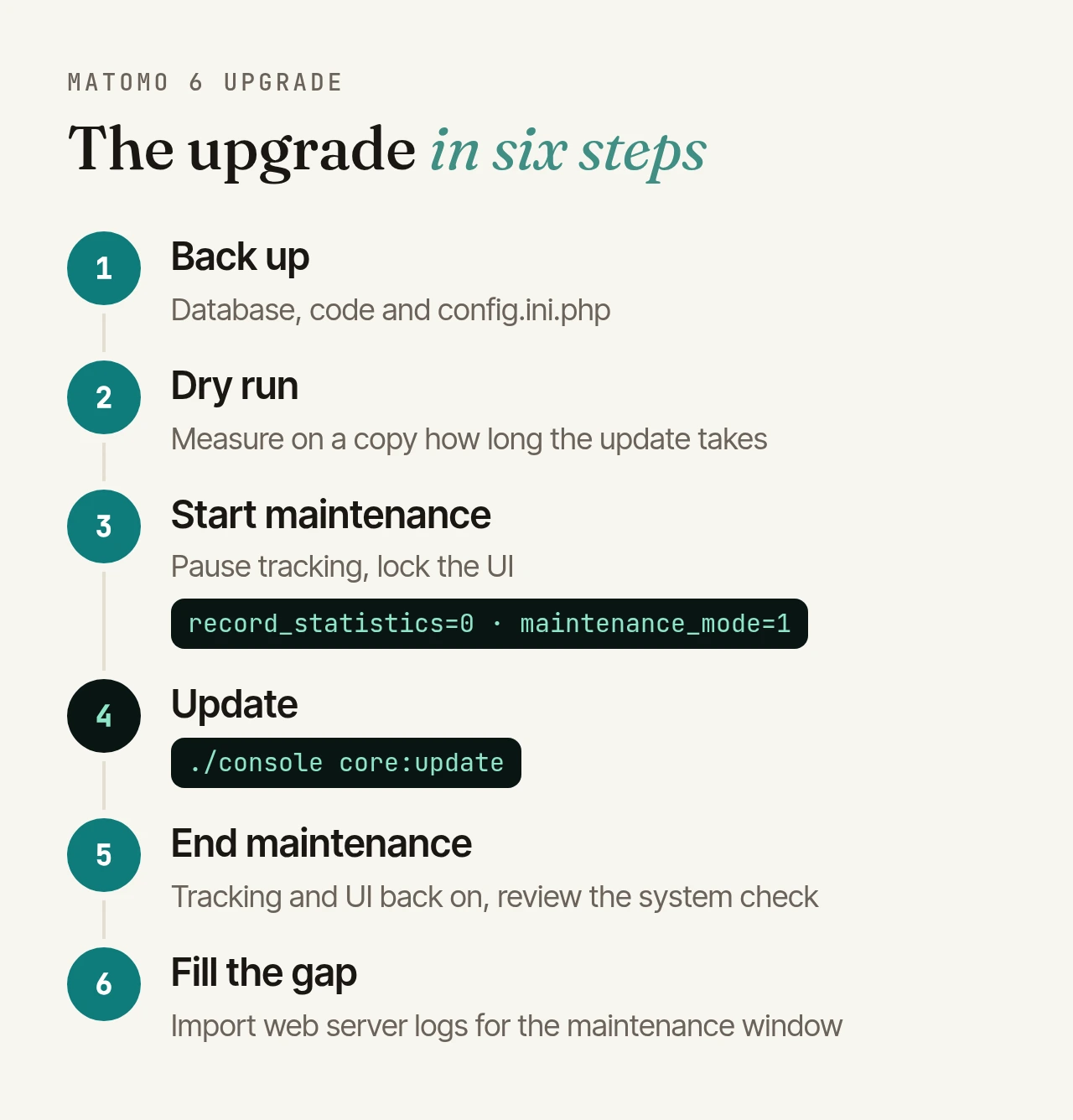
config/config.ini.php, plus enough free disk space on the database server. - Dry run on a copy, with the duration of
core:updatemeasured. - Maintenance window: pause tracking (
./console config:set Tracker.record_statistics=0), lock the UI (./console config:set General.maintenance_mode=1), then run./console core:update. If "Tracking Spam Prevention" was installed but deactivated,core:updatehas to run twice. - Afterwards: re-enable tracking and the UI, review the system check, and backfill the maintenance window by importing your web server logs. Matomo does not recommend Queued Tracking between major versions.
- Communication: tell everyone who works with the numbers about the expected drop from bot filtering in advance.
Beta, RC or final: when to upgrade?
Betas are for testing: Matomo itself notes they may contain bugs and, in very rare cases, cause data loss. For production systems, that means waiting for the final release, ideally for the first patch release, too.
There's no need to rush. Matomo 5 remains supported as a long-term support release for at least twelve months after Matomo 6 ships. Use that time for the groundwork in the checklist and a dry run on a staging instance.
If you'd rather not handle the upgrade yourself: with SLA operations, we take care of updates and hardening for your instance, across major versions too, from the dry run on a copy to the maintenance window. For our own Plugins for Matomo, compatibility updates for new major versions are part of the deal anyway.