According to Matomo's own documentation, a site with a few hundred visits a day runs fine out of the box. Then traffic grows, and Matomo gets slow: reports take ages to load, archiving runs into the next hour, and during traffic peaks the tracking endpoint struggles to keep up.
The levers Matomo documents for this fall into four areas: the tracking endpoint, the database, archiving, and reports and the UI. This guide walks through them in that order. One rule comes first: measure before you tune. Every setting has a cost, whether in memory, durability or report freshness.
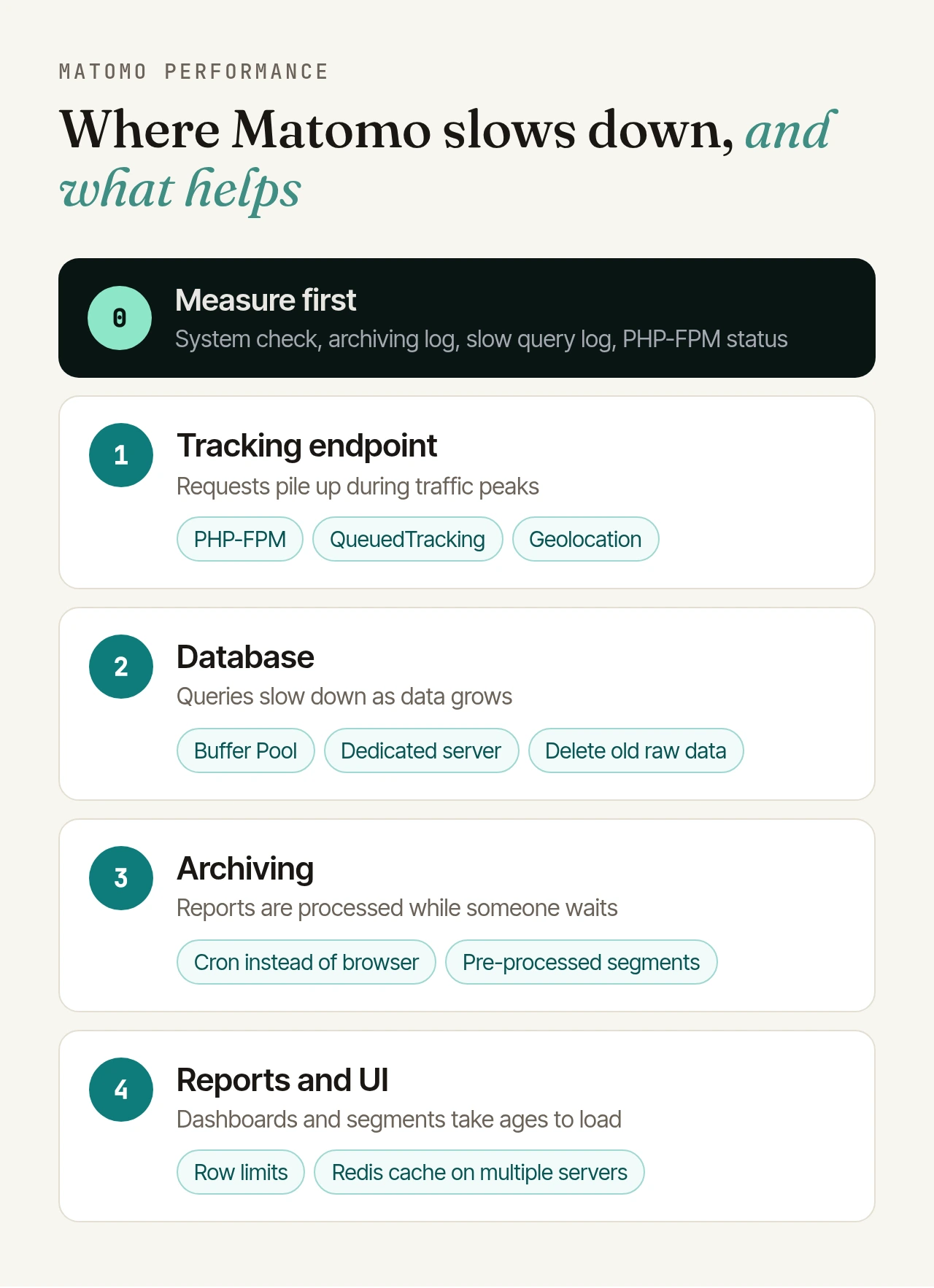
Measure first: where is Matomo actually slow?#
Collect a baseline first, so you can tell whether a change helps. Matomo ships with its own tools:
- System check: Under Administration > Diagnostic > System Check, Matomo flags problems with PHP, the database and the file system. It also shows when archiving last completed successfully and warns if that was more than a day ago. On the command line,
./console diagnostics:runruns the same checks. - Archiving diagnostics: Since Matomo 5.1, there are console commands such as
diagnostics:archiving-status,diagnostics:archiving-config(settings that can affect archiving performance) anddiagnostics:archiving-instance-statistics(data volumes that affect it). - Archiving log: The output of
core:archivelists the time spent per website. Over a few days, it shows which websites and segments cost the most time. - Database usage: The bundled DBStats plugin (activate it under Plugins) shows how much space raw data and reports take, broken down by table and plugin.
- Slow query log: MySQL can log every query that runs longer than
long_query_timeseconds. The default of 10 seconds is usually too coarse for an analysis.mysqldumpslow(on MariaDB,mariadb-dumpslow) summarises the log. - PHP-FPM status page: If "max children reached" is above 0 or the "listen queue" grows, requests are waiting for a free PHP worker.
SET GLOBAL slow_query_log = 1;
SET GLOBAL long_query_time = 1;
On MariaDB 10.11 and later the variables are called log_slow_query and log_slow_query_time.
PHP: version, OPcache and PHP-FPM#
Every request and every archiving run goes through PHP:
- Current PHP version: Matomo recommends the latest PHP 8.x release, as it is more memory efficient and faster than older ones. Matomo 6 requires PHP 8.1 anyway; see our Matomo 6 upgrade checklist.
- OPcache: It keeps compiled PHP bytecode in shared memory, so PHP doesn't have to load and parse the scripts on every request. Check in
phpinfo()that it is enabled. Matomo resets OPcache itself whenever it clears its own caches. - PHP-FPM:
pm.max_childrencaps the number of requests served at the same time. Too low, and tracking requests queue up during peaks; too high, and you run out of memory. Size it from the memory each worker uses and from what the status page tells you. - Memory for archiving: For
memory_limit, Matomo suggests 512M or 2G for smaller instances and calls 8G a common size for medium to large ones. You can pass the value straight to the cron job:core:archive --php-cli-options="-d memory_limit=8G". - File system and web server: Matomo advises against network file systems such as NFS and recommends light web servers such as Nginx.
Tracking endpoint: absorbing traffic peaks#
By default, every tracking request writes straight to the database. When more requests arrive than the server and database can handle at once, say after a newsletter goes out, the endpoint becomes the bottleneck.
QueuedTracking is Matomo's own answer. The free plugin writes tracking requests into a queue first, in Redis (recommended) or MySQL. That is much faster than a direct database write; the queue is then processed in batches, a little later after a peak. Matomo explicitly recommends it for high traffic instances.
- By default, Matomo processes the queue during regular tracking requests, after the response has been sent to the browser. Alternatively, disable "Process during tracking request" in the plugin settings and run
./console queuedtracking:processevery minute from cron. - More workers ("Number of queue workers") empty the queue faster. Matomo advises raising the number step by step.
./console queuedtracking:monitorshows the state of the queue.- The trade-off: under load, visits show up in real-time reports with a delay.
Two more settings affect every single request:
- Provider plugin: It looks up the visitor's internet provider by reverse DNS, which Matomo says adds overhead. Disabled by default for new installations since Matomo 2.15; if yours runs it, switch it off or use an ISP database.
- Geolocation: Matomo recommends a database from DB-IP or MaxMind. For high traffic instances, Matomo also recommends MaxMind's
maxminddbPHP extension, which speeds up lookups by the GeoIP2 provider considerably.
Bot and spam traffic that never gets stored doesn't need archiving later. You'll find tools for that among our Plugins for Matomo.
Database: memory, a dedicated server, lean data#
Matomo's performance is closely tied to the database: all data is stored and aggregated with MySQL queries.
Dedicated database server: Above roughly one million tracked actions per month, Matomo recommends at least two servers: one for the database and one for tracking, the UI, the API and report processing. The requirements page has sizing recommendations for CPU, RAM and SSD storage per traffic tier. As a rough estimate, Matomo puts database size at about 1 GB per 5 million page views.
InnoDB settings:
innodb_buffer_pool_size: Matomo recommends at least 80% of the RAM available to MySQL. The MySQL manual likewise mentions up to 80% of physical memory on dedicated servers.innodb_flush_log_at_trx_commit = 2significantly increases tracking throughput, according to Matomo. The cost: per the MySQL manual, up to one second of transactions can be lost in a crash. Make that call deliberately.- Point
tmpdirat a RAM-based file system such as tmpfs, so temporary data doesn't hit the disk. - For further values, Matomo recommends tools such as MySQLTuner.
Reader database: With replication in place, Matomo can send archiving and live queries against the log tables to a reader (the [database_reader] section in config.ini.php). Matomo's condition: replication lag must be minimal, or reports may be outdated.
Keep the data lean:
- Few unique URLs: Matomo names this as an important factor. Matomo strips common session parameters itself; add others that make URLs needlessly unique to the global exclusion list or per website under "Excluded Parameters". This only affects new data.
- Delete old raw data: Under Administration > Privacy > Anonymize data ("Regularly delete old raw data from the database"). According to Matomo this frees significant space and slightly improves performance. Reports stay, but for deleted periods you lose the Visits Log and unique visitors for weeks and months, and reports can no longer be reprocessed. Make sure all daily reports have been archived first.
- Delete old reports: Also possible; Matomo recommends keeping monthly and yearly reports.
How long raw data is kept is also a data protection question. Set the retention period with your data protection officer, not on disk space alone.
Archiving: cron instead of the browser#
Out of the box, Matomo processes reports when someone opens them. For sites with more than a few hundred visits a day, Matomo recommends a cron job that archives every hour:
MAILTO="admin@example.org"
5 * * * * www-data /usr/bin/php /path/to/matomo/console core:archive --matomo-domain=https://matomo.example.org > /home/example/matomo-archive.log
Then stop the browser from triggering archiving: under Administration > System > General settings, set "Archive reports when viewed from the browser" to No and "Archive reports at most every X seconds" to 3600. Segments would otherwise still be archived from the browser, so also add this to config.ini.php:
[General]
browser_archiving_disabled_enforce = 1
If an archiving run takes an hour or more, Matomo recommends running the cron job less often, for example every two or six hours. If archiving hangs, fails or leaves reports empty, see our guide to Matomo archiving problems.
Reports and the UI#
Pre-process segments: By default, segments are processed in real time, that is, when someone views them. For high traffic sites, Matomo recommends the option "segmented reports are pre-processed (faster, requires cron)", which superusers select in the segment editor. With enable_create_realtime_segments = 0, all newly created segments are pre-processed. To stop a new segment from processing your entire history, set a start date with process_new_segments_from:
[General]
enable_create_realtime_segments = 0
process_new_segments_from = "segment_creation_time"
Row limits: Matomo archives a limited number of rows per report and groups the rest under "Others"; by default, for example, 500 pages and 1,000 referring websites. Raising the datatable_archiving_maximum_rows_* settings gives you more detailed reports, but Matomo warns it also means longer archiving, more memory and more database storage. Raise limits only for the reports you really need. For page reports, Matomo 6 introduces a new archiving process with its own limit (datatable_archiving_maximum_rows_actions_flat).
Redis as a cache: Matomo keeps its caches on the local file system by default. On multi-server setups, Matomo recommends a shared Redis cache so caches are invalidated on all servers at once:
[Cache]
backend = chained

[ChainedCache]
backends[] = array
backends[] = redis

[RedisCache]
host = "127.0.0.1"
port = 6379
database = 14
If QueuedTracking also uses Redis, the cache needs a different database, otherwise queued tracking requests can be flushed. Matomo even recommends separate Redis instances.
If reports or dashboards still fail with an error, read our guide to Matomo timeouts and 504 errors.
Checklist#
- Take a baseline: system check, archiving duration, slow query log, PHP-FPM status.
- PHP: current PHP 8.x, OPcache enabled, PHP-FPM pool sized to your memory.
- Archiving by cron, browser archiving off,
browser_archiving_disabled_enforce = 1. - Segments pre-processed, start date for new segments limited.
- Database: a large enough buffer pool; above roughly one million actions per month, a dedicated server.
- Data volume: exclude needless URL parameters, agree retention periods with your data protection officer.
- Traffic peaks: absorb them with QueuedTracking.
- Measure again after every change and keep only what demonstrably helps.
Performance tuning is never done once and for all: as traffic grows, so do the database, the archives and the segments. If you'd rather not handle it yourself, our managed Matomo hosting includes monitoring, updates, backups and performance tuning, and we tune archiving to your traffic.